

A. Improved vehicle items
1. Improved vehicle items
1) Area where vehicle items are used
① The area where you can move after riding a vehicle item has been expanded.
② You can now ride a vehicle and move around in towns and safe zones where riding was previously impossible.
[Boarding Area Improvement]
|
region |
Before change |
After change |
|
safe zone |
No boarding allowed |
Boarding available |
|
hunting ground |
Boarding available |
Boarding available |
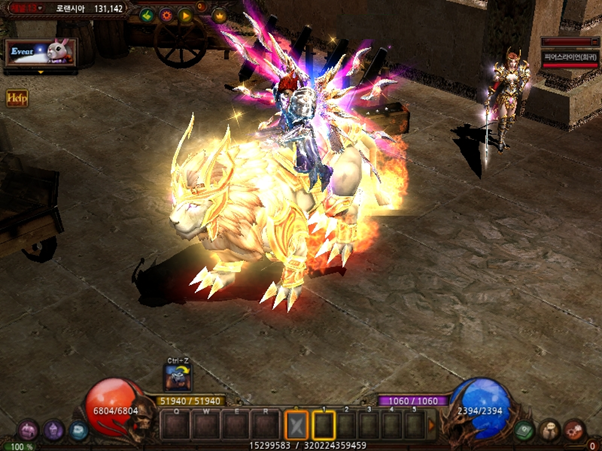
2) Apply automatic boarding/unboarding settings
(1) Basic settings
① Wearing a mount item – When the character uses a normal attack or attack skill while mounted
Automatically dismounts and engages in combat.
② When the battle ends and approximately 3 seconds have passed, you will automatically board.
- Battle ends when a character does not inflict damage.
- If you are attacked without causing damage to a monster or character, you will not be dismounted.
3) Improved movement speed settings
① After the character wears a mount item, you can use the shortcut key 'Ctrl+Z' to unmount it.
Maintains the vehicle's movement speed.
② Even if the vehicle is automatically dismounted, the vehicle item's movement speed is maintained.
2. Improved vehicle skills
1) Improvement of vehicle-specific skills
① Mount-only skills are changed to character skills, and require the use of mount items.
|
Improved vehicle skills |
|
|
dark horse |
Earthshake |
|
Fenrir |
Plasma Storm |
|
Dinorant |
Raid Shot |
2) Remove skill
① The ‘Spear Stab’ skill has been removed.
B. Limited-time item disassembly function
1. Disassembling limited-time items
1) Settings
① A function has been added to disassemble expired limited-time items.
2) Disassembly method
① After clicking the ‘Disassemble’ button in the inventory
Right-click on an expired limited-time item.
② When you click Confirm in the ‘Reconfirm pop-up window’, the item will be disassembled.
- Items are removed when disassembled.
③ Items that have not expired cannot be disassembled.